School timetabling · OR-Tools CP-SAT
Every lesson has its place.
Horaria builds your school's weekly timetable automatically, taking teacher availability, rooms, the bell schedule and your own rules into account. Fine-tune the result by hand, keep versions and share it as Excel or PDF.
What it does
Every step of building a timetable, from school setup to the export you hand out, in one app.
Automatic solving
Google OR-Tools CP-SAT places every lesson within the mandatory rules, then reduces teacher gaps and meets preferences.
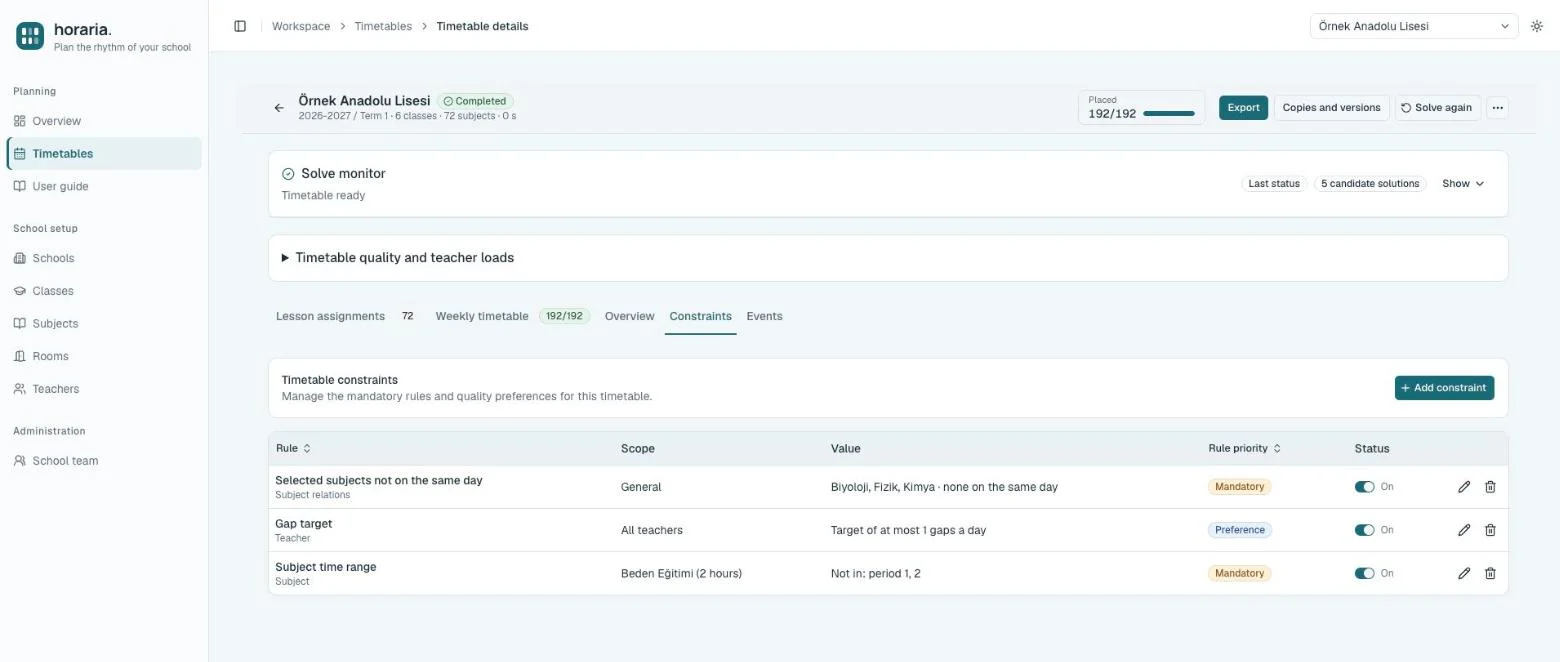
24 rule types
Daily and weekly limits, gap targets, time ranges, block times, “selected subjects not on the same day” and more — mandatory or preferred.
Bell schedule
Each day can have its own number of periods, times and lunch break; solving and exports follow it.
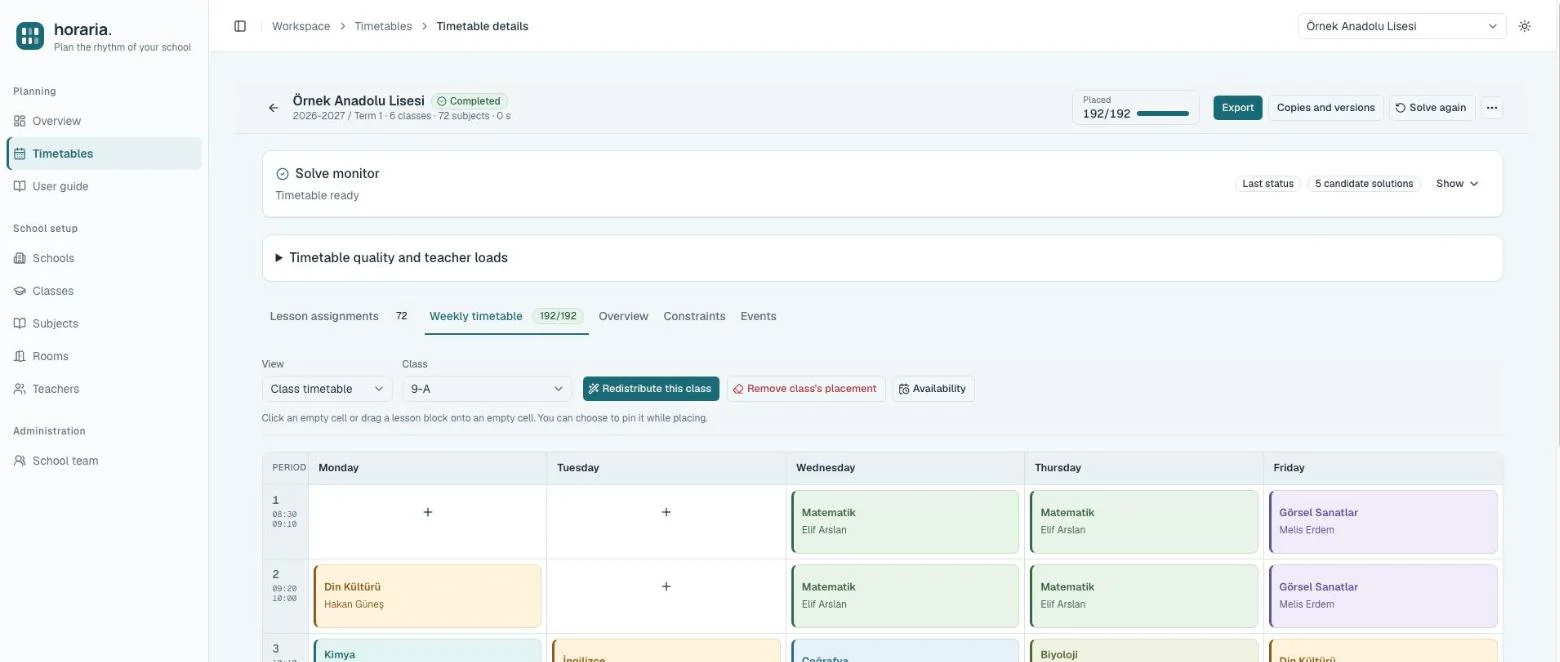
Manual editing and partial redistribution
Drag and drop lessons, pin them, and redistribute a single class or teacher without disturbing the rest of the timetable.
Copies and versions
Create alternative timetables, save restore points, and compare and restore versions after reviewing the changes.
Excel import and export
Load lesson assignments from an Excel template; export teacher, class and room timetables as Excel or printable PDF.
Multiple schools, school teams
Each school has its own data and team; administrator, editor and viewer roles are granted per school.
English and Turkish
The interface, server messages, solve log and exports follow the language each user chooses.
Screenshots
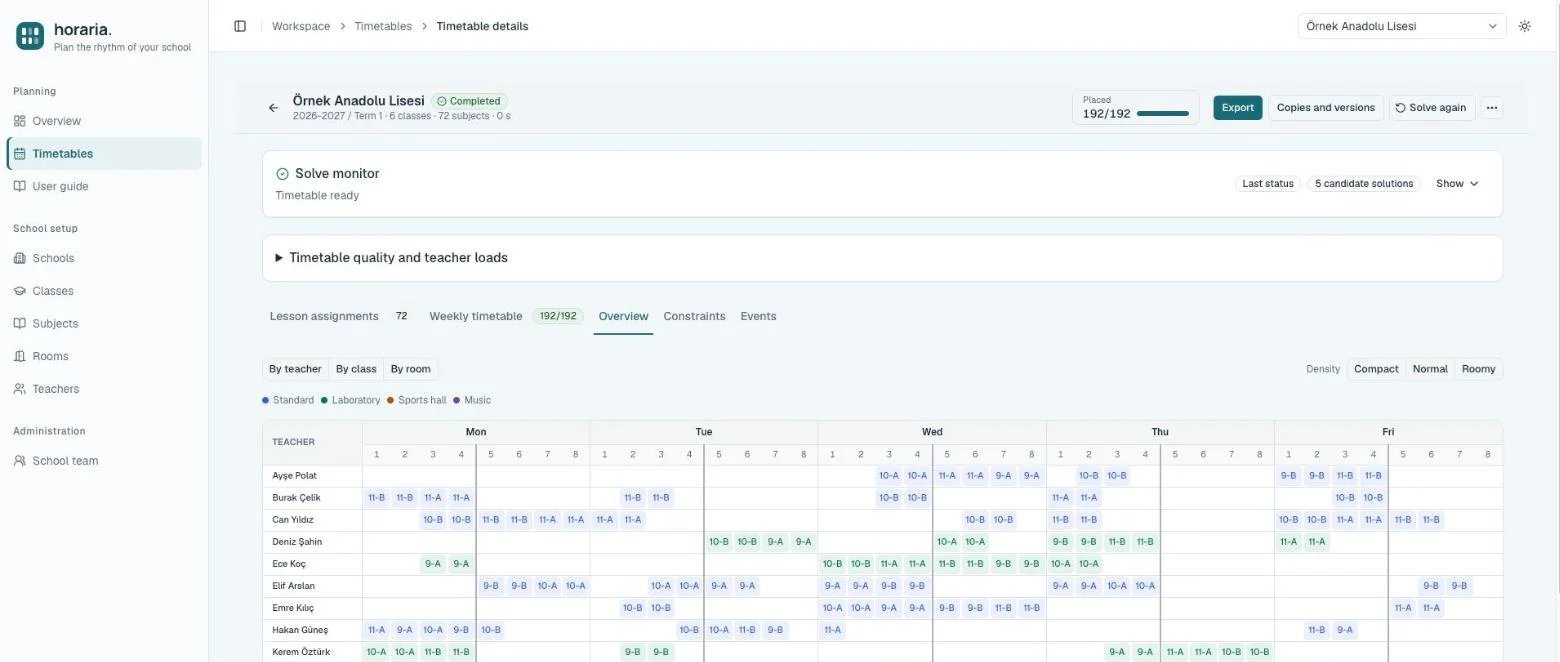
Taken from a fictional sample school: 6 classes, 12 subjects, 192 periods; the solve finished in under a second.
How it works
Detailed steps are in the in-app User guide.
Set up the school
Classes, subjects, rooms, teachers and the bell schedule — or load them all with the Excel template.
Set the rules
Mark availability, add lesson distributions (e.g. 2+2+2) and mandatory or preferred rules.
Solve and review
Follow the solve live; the quality summary shows teacher gaps and preferences.
Deliver
Make final touches by hand, save a version, and export to Excel or PDF.
Technology
| Solver | Google OR-Tools CP-SAT · two-phase search (full placement first, then quality) · solve pool in separate processes |
|---|---|
| Server | FastAPI · SQLAlchemy · PostgreSQL / SQLite |
| Interface | Next.js 16 · React 19 · TypeScript · Tailwind CSS 4 · TanStack Query |
| Desktop | Tauri 2 shell for Windows, macOS and Linux; no server needed for local use |
Download
The desktop app needs no server; your data stays on your computer and is backed up automatically every day. Latest version: current.
The app is not notarized by Apple yet. If macOS warns on first launch, open System Settings → Privacy & Security and click Open Anyway; on Windows SmartScreen, click More info → Run anyway. After installing, new versions arrive inside the app. All releases